Analysis Template
The Analysis Template is used to define settings for analysis conditions,
display conditions for analysis results,
and conditions for exporting analysis results
when initiating new analyses.
The Analysis Template Editor, used for making these edit,
can be accessed by selecting [Edit] → [Analysis Template Editor]
or by clicking the gear icon in the toolbar.
Creating this template prior to conducting a new analysis
not only simplifies the initial setup and
the adjustments required for exporting analysis results
to applications like Excel
but also allows for the instant switching of
how analysis results are displayed through changing
the Analysis Template.
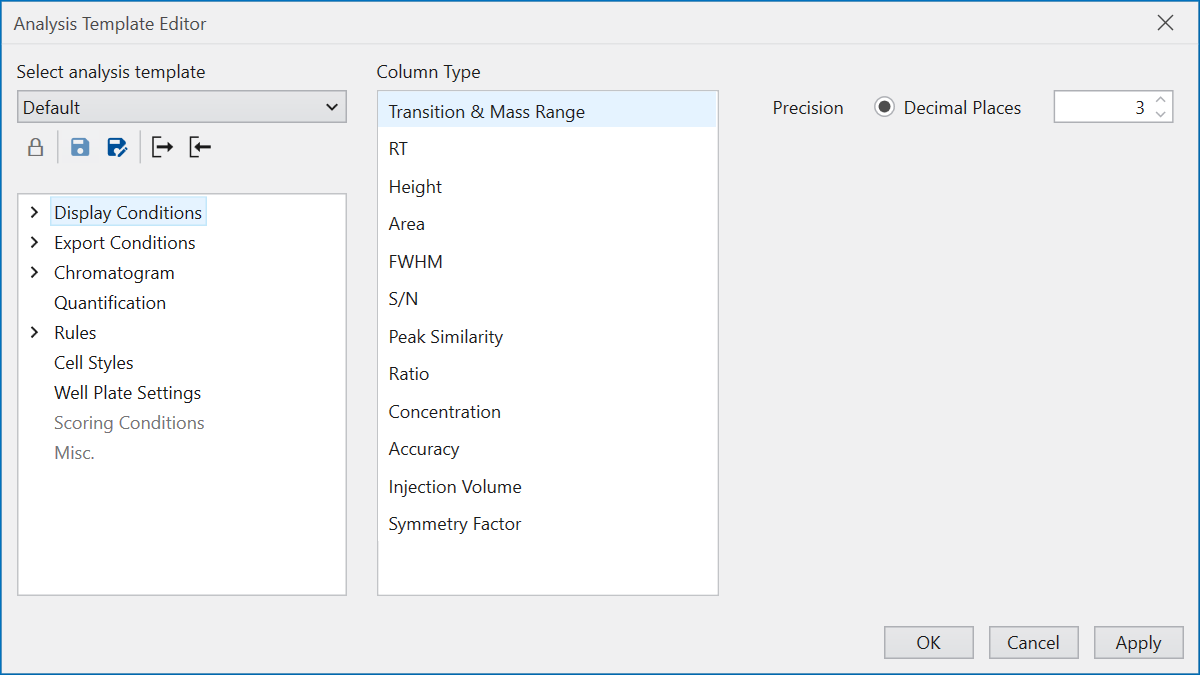
A list of previously configured templates is shown under
‘Select analysis template’.
From here, you can modify various settings as described below
and save and register the modified configuration as a new template.
This template can then be altered at any time during the analysis
via the toolbar in the main window.
Additionally, the option to export or import a template
as a .cct file, through buttons found at the bottom of the
‘Select analysis template’ section,
enables users to share Analysis Templates with others.