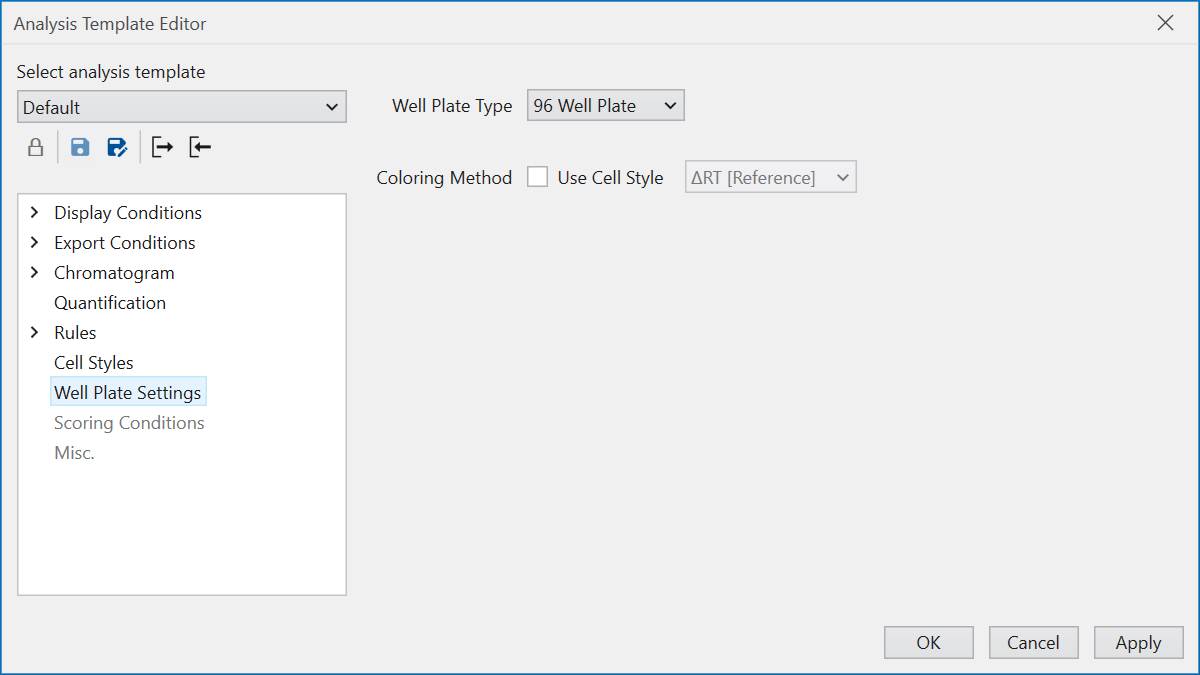
Well Plate Settings
The Well Plate Settings section allows you to define how the Well Plate will be displayed.
The well plate type is automatically determined based on the information stored in the raw data. On the other hand, if the information is missing, the well plate will be drawn according to the “Well Plate Type” selection in this section. Please note that if the setting here differs from the actual measurement situation, the well plate may not be displayed correctly.
The coloring style of wells can be set using “Coloring Method”. In the default setting, the wells are colored depending on wheather the corresponding sample has a peak or not, and then colored according to whether the peak was manually edited. If you check the “Use Cell Style” checkbox, you can link the coloring to the Cell Styles settings. Please select the column to which you want to link the color.