Detected Peaks
This chapter describes the Detected Peaks window.
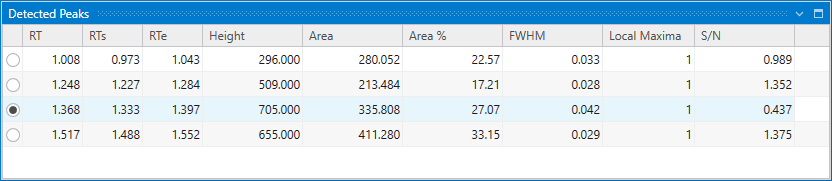
The Detected Peaks window displays a list of peak detection results in the chromatogram of the selected sample in Result Table. The peak whose radio button is checked at the top of this list is adopted as the peak detection result for the selected row of Result Table.
This list and peak selection status are linked to the Chromatogram window, and by clicking a mark above a peak on the displayed chromatogram, the selected peak in the Detected Peaks window will also change.