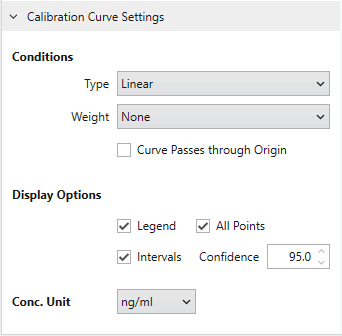
Calibration Curve Settings
In Calibration Curve Settings, you can change the line type, weight, and origin passage settings for the calibration curve of the compound selected in the Result Table,
and change the concentration unit.
Unlike the value set in Analysis Template,
setting changes on the Dashboard are applied on each compound.
You can also change the calibration curve display options here.
By operating the Legend checkbox, you can toggle whether to display or not
the Equation and the R 2 displayed at the top left of the calibration curve.
The All Points checkbox allows you to switch between displaying all unselected samples whose sample type is Unknown, or displaying only the selected samples.
Intervals and Confidence fields are enabled when the calibration curve type is Linear and passing through the origin is not set.
If you check Intervals, confidence and prediction interval lines based on the Confidence setting will be displayed.