Result Table
The Result Table allows you to make detailed settings
for the export of the analysis result table.
To change whether the result table should be exported
to PDF or not,
use the ON/OFF toggle shown in blue.
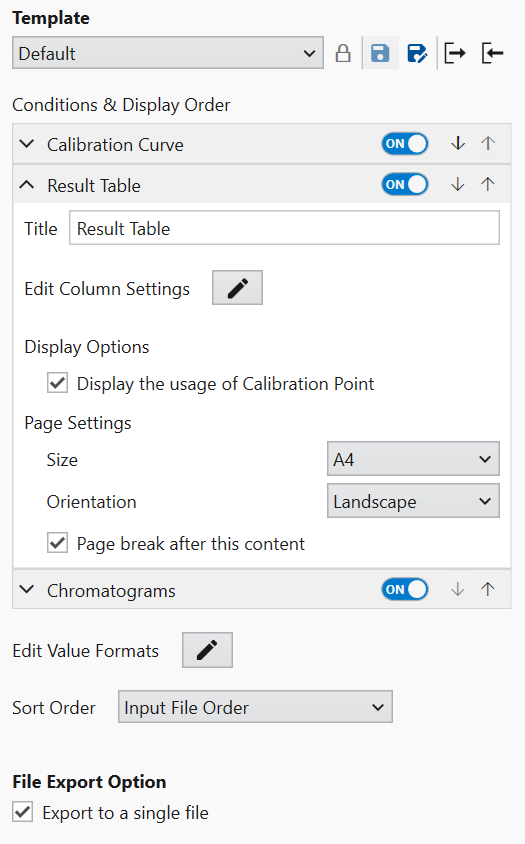
The title of the result table export can be changed
by entering it in the Title field.
If you want to set the columns to be exported,
please set the details using the Edit button indicated
by a pencil mark to the right of “Edit Column Settings”.
It can be set in the same way as the
Display Conditions columns,
and it can also be copied from the current
Analysis Template.
The export paper size is set in Size in Page Settings.
If you want to write vertically instead of horizontally
as in the default template, change the Orientation.
If you want a page break after this page,
check the “Page break after this content” box.