Reference Setting Page
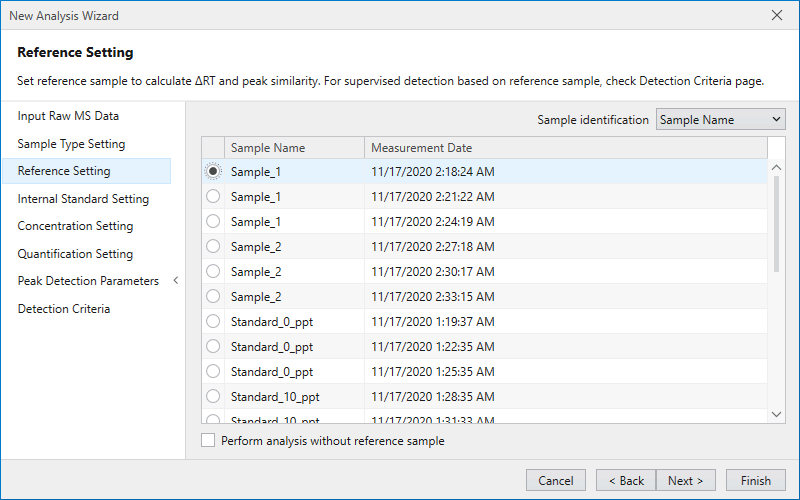
Use the Reference Setting page to set a reference sample.
Uncheck “Perform analysis without reference sample” and check the radio button of the sample you want to set as the reference sample.
By setting a reference sample, it is possible to compare peaks detected in the reference sample with peaks detected in other samples,
and evaluate shape similarity and RT deviation.
If you do not want to set a reference sample, check “Perform analysis without reference sample”.
Additionally, as an option of Supervised Detection (peak detection using teacher data),
it is also possible to perform peak detection using a reference sample as supervisor (teacher data).
Check Detection Criteria Page for settings to use the reference sample as supervisor.
Press the Next button to move to Internal Standard Setting Page.
Note
If the setting to perform Supervised Detection is enabled in Detection Criteria Page, the reference sample setting is required. The reference sample set here will be used as supervisor.