Concentration Setting Page
On the Concentration Setting page, set the concentration values of each compound in each sample to create a calibration curve.
If Rules of Analysis Template is set,
the concentration value will be automatically estimated from the sample name etc. and the value will be input.
If there is no setting for Analysis Template,
or you want to rewrite the value, double-click a cell in the Concentration column to enable editing from the keyboard.
You can also create a concentration list in advance using Excel or Notepad.
In such the case, copy the values to the clipboard, and paste them using the Paste Concentration button.
If you want to assign different concentration values to each compound, switch the selection of “Filter by” and register the values.
Contrarily, if you want to assign the same concentration values to all compounds, check “Synchronize the concentration values to all compounds”.
On checked, the concentration values of the compound selected in “Filter by” will be registered to all other compounds,
and changes to the value will be reflected in all compounds as long as it is checked.
The concentration unit can be changed by clicking the Concentration column header.
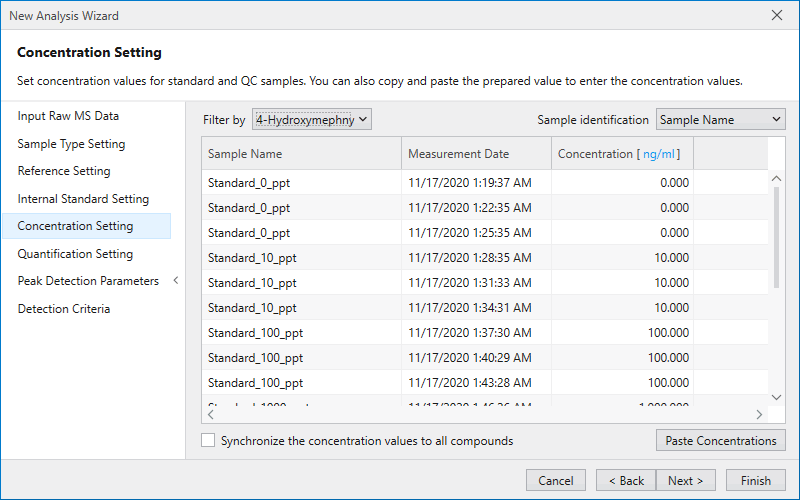
Press the Next button to move to Quantification Setting Page.
Note
The Concentration Setting page will be disabled, when there is no sample with the sample type set to “Standard” or “QC” in the list in Sample Type Setting Page.